

Most smart hotel tech content isn’t written for marketers. If you’re the person writing the pre-arrival email, managing the post-stay feedback loop, and fielding quarterly ROI questions, you’re already well aware. Smart tech content is for IT directors who live and breathe infrastructure timelines. It doesn’t give you what you actually need: proof that what you’re sending is working.
We’ve organized this playbook around your reality. You’re not shopping for gadgets; you’re building a measurable system for every guest interaction. And you need each section in a playbook to tie to a real decision: what to track, what to optimize, and what to bring to leadership when they want numbers.
Note: The brands and examples discussed below were found during our online research for this article
Key takeaways
- Smart tech for guest experience is only as powerful as your ability to measure it; every digital touchpoint should generate a trackable click or scan that tells you what to optimize next.
- QR Codes are one of the most underused tools in hospitality marketing when deployed dynamically and strategically across the full guest journey, not just at check-in.
- Branded short links with custom domains directly affect whether guests click your SMS and email communications, making link governance a practical conversion lever.
- Attribution and UTM governance are the missing layer in most hospitality tech stacks, and without a consistent naming convention across channels, you cannot prove which touchpoints drive loyalty or revenue.
- A phased implementation roadmap (week one, month one, quarter one) makes smart tech adoption manageable for marketing teams without requiring a full technology rebuild.
What “smart tech for guest experience” means
Smart hotel technology is often discussed as an IT project, but for a hospitality marketer, it’s about the results. The combination of automation, personalization, and connectivity tools makes every guest-facing interaction faster, more relevant, and easier to measure.
Smart tech for hospitality covers the touchpoints guests encounter. This includes the things you can influence and measure in order to improve guests’ digital experience, like the booking confirmation email, the in-room QR Code, and the post-stay survey link.
When you frame smart tech this way, every tool in your stack becomes something you can own, optimize, and report on. And that’s how we’ll look at it throughout this guide, structured around the guest journey: pre-arrival, arrival, during stay, and post-stay.
The guest journey framework: Smart tech stage by stage
Each stage of the guest journey creates digital touchpoints, and each one is a chance to collect behavioral data that makes your next interaction smarter.
Pre-arrival: Setting expectations and building anticipation
Before a guest walks through your door, you’ve already had several chances to make a good impression and start collecting data.
Pre-arrival communications (confirmation emails, upsell offers, check-in instructions, and local guides) are your first measurable touchpoints. Research found that recurring automated hotel email marketing campaigns achieve an average open rate of 56.6%.
The reach is there. The harder question is whether you can tell which offer got clicks and which channel drove the upsell conversion. You can find that answer in the data, but only if you’ve built the tracking infrastructure to locate it.
Branded short links in pre-arrival messages serve two purposes: they direct guests to where they need to go and they generate click data that tells you which offers are successful before guests arrive. Layer in UTM parameters (source, medium, campaign, content) and you can start attributing engagement by channel. Did the upsell offer perform better in email or SMS? Which subject line drove more check-in completions?
Bitly Campaigns group your pre-arrival links into a single dashboard view so you can see total engagement at a glance. We’ll come back to that in the attribution section.
Arrival: Contactless check-in, mobile keys, and first impressions
Contactless check-in is no longer a novelty, but a guest expectation: over 53% of guests prefer it. Properties that go this route report up to 23% higher guest satisfaction scores at arrival, particularly when digital keys let guests skip the front desk and go straight to their hotel rooms.
For you as a marketer, the pre-arrival email is part of the arrival experience itself. When a guest taps your check-in link and it takes them straight to what they need, you’ve made a great first impression before they even arrive on your property.
Arrival touchpoints also generate behavioral signals you can track:
- How many guests engaged with your mobile check-in link versus how many walked up to the front desk
- How often guests scan the QR Codes at your lobby kiosk or tap the mobile links in your check-in reminder SMS
- What day of the week arrival traffic peaks
Use this data to help you staff smarter, time communications better, and understand how guests move through your property. During the stay: Smart room controls, in-property QR touchpoints, and real-time service
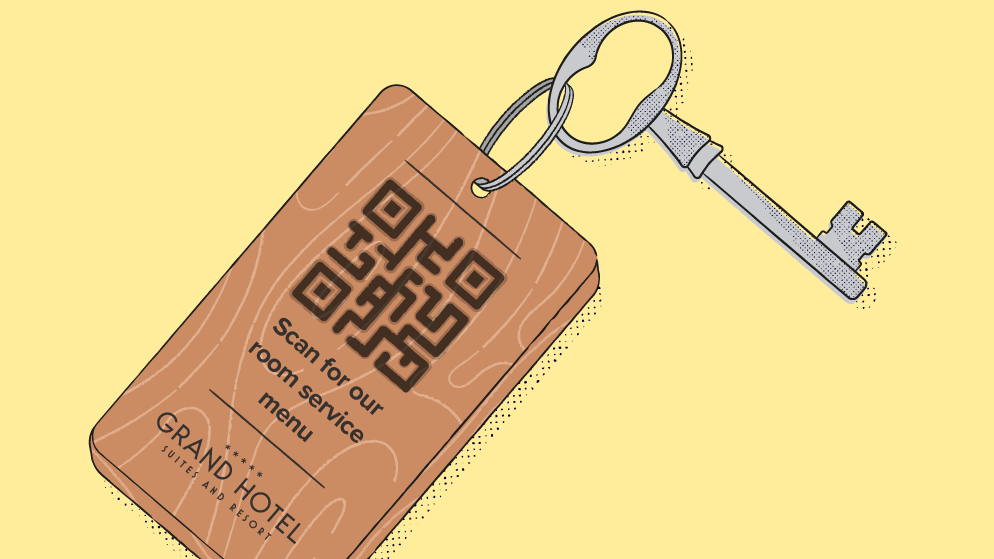
Internet of Things (IoT)-enabled controls let guests adjust lighting, thermostats, and entertainment systems via voice-activated commands or a mobile app. You can place a QR Code in-room near the thermostat or light switch that directs to a comprehensive list of commands via URL, or directs the guest to a quick-start guide about how to access the mobile app for room controls.
For guests, smart room technology is a comfort upgrade. For hotel staff, it’s an operational efficiency gain that leads to fewer calls to the front desk and fewer maintenance requests logged manually. And for you as a marketer, it’s one more digital touchpoint you can measure during the stay.
Beyond the room, you can deploy Dynamic QR Codes across every physical-to-digital moment of the stay. Think about the places a guest naturally pauses: the lobby, the restaurant table, the spa desk, the fitness center, the elevator bank. They’re all placement opportunities for a QR Code that connects guests to what they need via URL: Enable them to order room service, book amenities, or submit a maintenance request.
With Dynamic QR Codes, you can update the destination URL at any time without reprinting the physical material. So, the QR Code that directed to your standard menu in January can direct to your updated Valentine’s Day menu in February. No scraping stickers off the wall, no reprinting.
Post-stay: Feedback, loyalty, and the loop that brings guests back
Post-stay is where you close the loop with data. The click and scan data collected across the full stay tells you which touchpoints drove engagement, which offers converted, and where guests dropped off. Then, you can use that data to inform your post-stay communications.
Post-stay touchpoints include feedback collection via QR Code or short link, loyalty program sign-ups or re-engagement through segmented follow-up messages, review prompts, and personalized return offers built on guest information collected during the stay. Timing is important: a well-placed post-checkout message sent while the stay is still fresh will outperform messages sent days later.
Connect this data to the KPIs leadership cares about: NPS® and CSAT scores from QR-linked surveys, review volume tracked against email send timing, and repeat booking rate correlated with loyalty campaign performance. We’ll map these out in the attribution section.
QR Codes across the guest journey: Beyond check-in
Notice how QR Codes can appear at every stage of the guest journey? That’s no coincidence. Let’s go a little deeper on how to deploy and measure them as a unified system instead of one-off placements.
Reframing QR Codes as a full-stay engagement system
A well-deployed QR Code strategy connects every in-property moment to a digital action you can track without touching the physical asset. Dynamic QR Codes give you the greatest flexibility.
Static QR Codes link to a fixed destination, which may be fine if you’re directing to content that’s unlikely to change (like your check-in URL). However, because you can change their destination URL at any time, Dynamic QR Codes give you more freedom to experiment with content as you learn more about your guests, what they like, and what will give them the most value.
Where to place Dynamic QR Codes across a property
Each QR Code placement represents a campaign touchpoint when directed to a relevant resource via URL:
- In the lobby: Wi-Fi login page, local event schedules, property maps, and check-in confirmation flows
- In guest rooms: Room control explanation, digital room service menus, compendium pages, feedback forms, and streaming setup guides
- In dining areas: Menus, reservation booking sites, and wine pairing guides
- At the spa and fitness center: Class schedules, booking pages, and wellness guides
- At exit points: Review sites, loyalty enrollment pages
You can customize each Bitly Code with your brand colors and logo, so every code looks like it belongs to your property. When guests recognize the code as yours, they’re more likely to scan it.
How scan data turns QR Codes into an optimization loop
Depending on your Bitly plan, Bitly Analytics can display scan data by code, location, and device type to make it more actionable.
Picture a spa booking QR Code placed at the front desk. Bitly Analytics shows it peaks on Saturdays. Now you know the best window to send a push notification or in-room message: Friday evening, before the weekend rush.
Once you have the data, you can use it to optimize your QR Code strategy at scale, which is ideal for marketers managing multiple properties. Let’s say you upgrade your website, and your check-in URL changes. Rather than visiting each property to replace the QR Code with a new one that directs to the correct site, you can simply update the destination URL from your Bitly account to redirect it to the right place. Update once, and push it to all of your properties simultaneously.
Making guest communications measurable: Attribution, UTM governance, and the metrics that matter
The tools are in place. You’ve mapped the guest journey. The only questions that remain are how to know whether any of it is working, and how to make that case when leadership asks.
Why attribution is the missing layer in most hospitality tech stacks
Unless you can attribute guest engagement by channel, property, and campaign, it’s not something you can easily measure. The data exists in most stacks, but the structure doesn’t without UTM parameters.
- Source (email, SMS, WhatsApp)
- Medium (pre-arrival, in-stay, post-stay)
- Campaign name (spring-arrival, spa-upsell, post-stay-feedback)
- Content variant (subject-line-a, hero-image-b, cta-book-now)
Together, these fields let you aggregate and compare data across every channel in one consistent framework. But they only work with a consistent naming convention. Once data starts flowing with inconsistent UTM structures, cleaning it up is more difficult and time-consuming than building it would have been in the first place.
How Bitly Campaigns organizes a guest lifecycle flow
Bitly Campaigns groups links from a single guest lifecycle flow into one dashboard. Instead of tracking across platforms to see how your check-in link performed relative to your upsell offer, you can see both together.
Let’s use the pre-arrival sequence as an example: check-in link, upsell offer, and local guide. You get click data for each link, and in Campaigns, you see it all at once alongside total engagement for the flow. That makes week-over-week comparisons faster and helps you make optimization decisions with the big picture in mind.
The KPIs that leadership actually recognizes
Match your metrics to the stage that generated them (Note: Some of these metrics require a third-party tool like Google Analytics, Salesforce, or Reform):
- Pre-arrival: Number of clicks on confirmation links, upsell conversion rate, and check-in completion rate via mobile
- Arrival: Number of QR Code scans at the kiosk and mobile key adoption rate
- During stay: Scan numbers by QR Code placement, room service order rate via digital menu, and amenity booking conversion
- Post-stay: Feedback form completion rate, review prompt click numbers, loyalty enrollment rate, and repeat booking rate within 90 days
Bitly Analytics’ device-type and engagement-by-date data connect these metrics to specific optimization decisions. If mobile check-in completion peaks on Thursdays for Friday arrivals, that’s your window to send the check-in reminder.
Branded links and link governance: Why guests click (or don’t)
Guests make split-second decisions about whether to tap a link in an SMS message. If the URL looks unfamiliar, it triggers the same skepticism as a phishing attempt, regardless of how good the offer is. This is a conversion problem that’s easy to overlook and just as easy to fix.
Branded short links with custom domains lead with credibility. When a pre-arrival message links to stay.yourbrand.com/checkin instead of a string of random characters, guests know it’s yours. That recognition drives clicks, making it a conversion lever, not a cosmetic upgrade.
Then there’s governance. You want to create, manage, and track every link sent to guests through a single platform. Not only is this approach more uniform, but it also allows you to update destinations without resending communications. Plus, you can catch and fix broken links right away and keep click data centralized.
A link that loads slowly or inconsistently damages brand trust the same way a slow check-in does. If you have a pre-arrival email going out to thousands of guests, with many clicking within the first 30 minutes, that’s a big deal.
Challenges, risks, and adoption realities
Smart tech adoption in hospitality can be hard. But don’t let that slow you down or discourage you. Use it as context to make your implementation even smarter.
Privacy, consent, and data governance
Smart tech relies on guest data, including booking history, guest preferences, and behavioral signals from QR scans and link clicks. And guests aren’t strangers to how brands use their data.
GDPR and CCPA compliance are strict requirements, both from a legal and a trust standpoint. Transparent data practices are part of the guest experience, and guests who can trust how you handle their data are more likely to engage and return. Build your consent and governance framework before you build your campaigns.
Integration complexity and staff change management
Tools that don’t connect make personalization impossible at scale. When you’re managing communications across properties, strong integration capabilities are a must.
Staff change management adds a layer of complexity. Invest in training that helps your team understand why new tools exist, not just how to use them. Ultimately, ‘smart’ tech should improve the guest experience, but not at the expense of your staff’s productivity.
When explaining any tech changes, lead with the benefits for the staff. Will it save them time? Will it reduce the number of calls to the front desk during peak hours? The guest experience is important, but you won’t get far without buy-in from your team.
Security, accessibility, and piloting before you scale
Like any technology, smart tech in hospitality settings has the potential to create security risks. Test the security posture of any guest-facing technology before deploying it, and involve your IT team in that assessment.
Test on one property, one floor, or one touchpoint as a pilot. You want to reduce financial risk, learn from real-world use, and make the transition smoother before you expand.
For any technology you plan to implement, be sure you’re partnering with a vetted, trustworthy vendor with relevant security credentials. Bitly is CCPA-, GDPR-, and SOC 2 Type II-compliant, giving hospitality teams the confidence they need to ensure guests that all links and QR Codes they engage with are safe and secure.
Accessibility and inclusive design for digital guest interactions
Digital barriers that exclude guests (like a QR Code placed too high for wheelchair users to reach, or a check-in flow available only in English) can reflect poorly on your brand.
Practical accessibility means placing QR Codes at a height and in lighting conditions that work for guests with mobility or visual impairments. Landing pages must meet Web Content Accessibility Guidelines (WCAG) standards (good color contrast, screen reader compatibility, large tap targets), and digital menus should include allergen and dietary information in a format that’s easy to navigate.
Multilingual digital content deserves special attention. Offering QR Code-linked resources in guests’ native languages removes a significant friction point and signals real hospitality. It’s one of the most underused opportunities in mobile tech for the hospitality industry, and one of the most straightforward to act on.
Your implementation roadmap: Week one, month one, quarter one
This section is for marketing and CRM teams, not IT or general leadership. The goal is to identify the highest-impact actions at each checkpoint so smart tech adoption feels manageable.
Week one: Start with what you control today
Identify the most-clicked links in your current guest communications and replace them with branded short links on a custom domain. Establish your UTM naming convention at the same time and apply it consistently.
Then deploy one Dynamic QR Code at a high-traffic in-property location. Choose that location based on where a scan feels like a natural next step, like in the lobby, your restaurant, or your bar.
Month one: Build the campaign structure
Set up Bitly Campaigns for your pre-arrival and post-stay flows so that every link in each flow is visible in a single dashboard.
Review the first month of click and scan data. What’s generating engagement? What are people ignoring? Make one concrete optimization based on what you find. Use your insights to adjust message timing, update an underperforming QR Code destination URL, or test two subject lines on a post-stay feedback prompt.
Quarter one: Standardize and scale
Extend your UTM governance and branded link structure to every property in your portfolio so you can compare performance across locations in a centralized dashboard.
Replicate the highest-performing QR Code placements from month one across all properties. By this point, you’ll know which ones those are because you’ve been tracking them via Bitly Analytics and any other third-party analytics tools in your stack.
Present your quarter-one click, scan, and conversion data to leadership. This is the moment you’ve been building toward, where you can present real numbers from guest interactions and tie them back to the investments you made in week one.
Build guest experiences that are simple, measurable, and impactful
Creating a standout guest experience doesn’t always mean having the biggest tech budget. The marketers influencing the future of hospitality treat every digital interaction as a signal and use those signals to make decisions about timing, channel, content, and personalization.
Bitly helps connect your guests’ digital experiences with data that makes them repeatable and scalable. With the Bitly Connections Platform, you don’t need a full technology rebuild or a dedicated data science team—you have all the tools you need, from links to QR Codes, campaign management, and beyond.
Your guests are already moving through every stage of this journey at your property. You have a massive opportunity to start capturing the data that makes each stage better the next time around.
Ready to see what that looks like for your team? Visit Bitly to explore plans and get started.
FAQs
What types of smart technology have the biggest impact on hotel guest experience?
The tools with the most direct impact are those that remove friction at the moments guests care about most: contactless check-in, smart room controls, and QR Code-enabled service touchpoints. The key for hospitality marketers is ensuring each tool generates a measurable engagement that can be tracked and optimized over time.
How do QR Codes improve the guest experience beyond contactless check-in?
Dynamic QR Codes can serve guests at every stage of their stay: digital menus, amenity booking pages, room service ordering, local guides, Wi-Fi login pages, and post-stay feedback forms, each generating a distinct, trackable scan event. Unlike Static QR Codes, Dynamic QR Codes can be redirected to new content at any time without reprinting, making them flexible for properties that frequently update offers.
How can hospitality marketers prove the ROI of guest experience technology investments?
ROI starts with a measurement infrastructure built before deployment: a consistent UTM naming convention across every guest communication, organized into Bitly Campaigns so you can compare performance by channel, property, and journey stage. The KPIs that resonate with leadership are NPS and CSAT scores from QR-linked surveys, upsell conversion rates on pre-arrival offers, and repeat booking rates within 90 days of checkout (note that you will need to rely on third-party analytics tools to gather some of this data).
Why do guests sometimes ignore hotel SMS and email communications?
The most common reason is link trust: an unrecognized URL in an SMS triggers the same skepticism as a phishing attempt, regardless of how good the offer is. Branded short links with custom domains signal legitimacy and increase the likelihood that the guest will decide to engage.
Timing and relevance matter, too: a post-stay feedback request sent 72 hours after checkout outperforms one sent immediately, and a pre-arrival offer personalized to the guest’s booking type converts better than a generic promotion.
How do multi-property hotel groups standardize their digital guest experience across locations?
Standardization requires a governance model across four areas: UTM naming conventions, QR Code management, branded link structure, and analytics permissions. When every property creates links through the same Bitly account using the same naming convention, a portfolio marketing lead can compare performance across locations in one dashboard without a custom analytics stack.
Dynamic QR Codes managed through Bitly can be updated centrally, so a brand-wide promotion change updates every relevant code across all properties simultaneously, with no reprinting required.





